


Hello! This is Ochiai, the designer.
I'd like to introduce some of the intriguing features of the iPhone X, which has finally gone on sale.
The iPhone X has no Home button.
Instead, the whole front is a display — a surprising design…
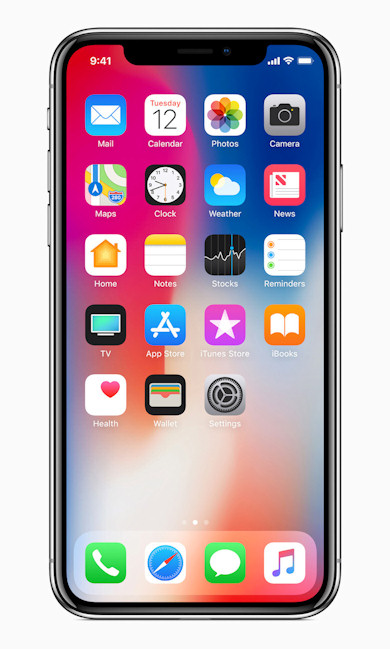
Whaaat! How on earth are you supposed to operate this!!!!
That's what I thought when I first saw it (lol)
So first, I'd like to give a rough explanation of how to use the iPhone X.
About the Home button
① How do you unlock it without a Home button?
For this, it uses a completely new authentication feature:
"Face ID" facial recognition.
First, you register your face, just like registering a fingerprint.
Registration is very easy — you simply turn your face from side to side.
After registering, unlocking apparently happens just by glancing at the screen.
It takes very little time — the lock is released almost the instant you look at it.
The moment it unlocks, you're still on what used to be the lock screen with the clock displayed, and from there you swipe to go to the Home screen.
So there's no need to worry about accidental operations (such as going straight to the Home screen just by looking and unknowingly tapping something…)!
Also, notifications aren't shown until the phone is unlocked, so no one but you can see what notifications have arrived.
It reportedly won't authenticate while your eyes are closed, so you don't have to worry about it being unlocked while you're asleep.
You can see it's very well designed, including measures against accidental operation.
② How do you return to the Home screen?
On the iPhone X, which has no Home button, how do you return to the Home screen after launching an app?
There's a horizontal bar displayed at the very bottom of the screen.
Swiping up from there takes you back to the Home screen.
You can display the list of open apps as before, by pressing firmly on the edge using the 3D Touch feature.
An evolved CPU
For gaming fans, surely the biggest attraction is CPU performance, isn't it?
Apparently its performance is up to 70% better than the iPhone 7.
Now that online games are mainstream, a device's performance really matters!
Hearing "70%" made me want one too... (lol)
Wireless charging
It seems you can still use USB fast charging as before,
but the new AirPower mat, which charges devices simply by placing them on it, is making its debut.
Just place your iPhone, Apple Watch or AirPods anywhere
you like on the mat and they'll charge.
Being able to just set it down is really appealing!
Personally, what interests me is that the body material differs from previous iPhones, with the entire surface made of tough glass.
It looks incredibly cool (lol).
There are plenty of other great features, like the camera, but these three points were what caught my eye!


