


Today I'd like to introduce Photoshop filters.

Photoshop has a wide variety of filters, and you can configure them in fine detail.
You can also try them out as a preview before applying them.
First, select "Filter Gallery" from the menu bar.

The filter list will then appear on the right, with a preview of the currently selected filter effect on the left.

Here we're using "Halftone Pattern" found under "Water Paper" in the "Sketch" category.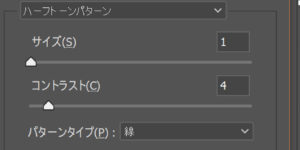
There are also various settings such as size and contrast, so you can edit freely.
Be sure to try out all sorts of options yourself!


