


Hello. This is Ochiai, the designer.
Today I'd like to introduce some handy iPhone features.
1. The "Undo" feature the iPhone has too
Have you ever accidentally deleted something you needed while typing text or clearing out emails?
That's when the feature that undoes your last action comes in handy.
We take this for granted on a computer, and I always wished the iPhone had it too—and it turns out it does (lol).
It's easy to do. Just shake your iPhone from side to side.
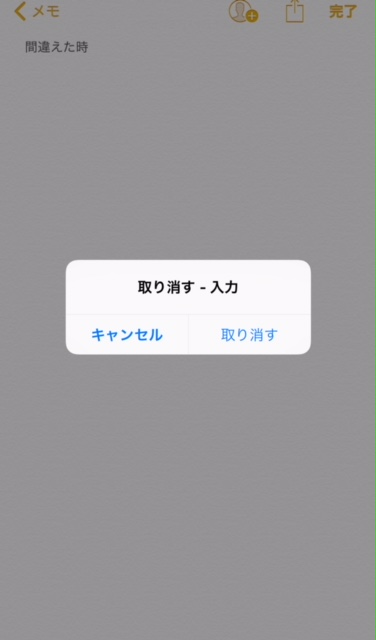
As shown in the image, "Undo — action name" will appear. The action name will be "Typing" for text entry, or "Trash" if you moved an email to the trash.
You can turn this feature on or off from Settings > General > Accessibility > Shake to Undo.

2. Close all Safari tabs at once
You're looking something up in Safari and before you know it there are tons of tabs!!!! No matter how many you close, they never run out…
I'm sure many of you have had this experience.
Until I discovered this feature, I too had pretty much given up on tidying up all those tabs.
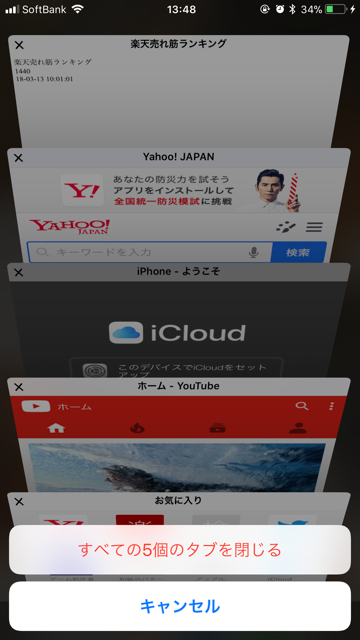
This one is easy too! Just press and hold "Done" on the tab overview screen.
"Close All 〇 Tabs" will appear, and tapping it closes them all at once!
3. Adjust the flashlight brightness by levels!
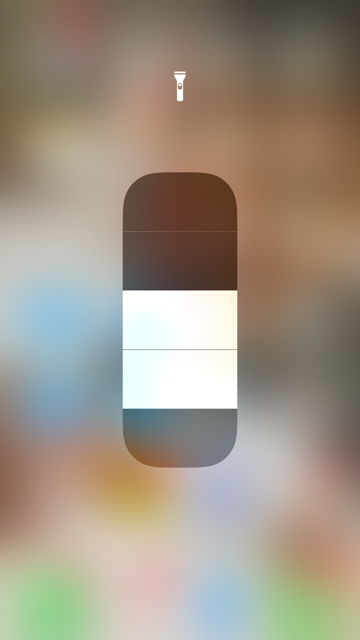
Many people assume the flashlight brightness is fixed, but you can actually adjust it. Use 3D Touch on the flashlight icon in Control Center (press a little firmly).
A display like the one in the image will appear—just slide up or down to adjust the brightness.
4. Record audio too with the recently added "Screen Recording" feature
The iPhone now has a video version of the screenshot feature.
For sounds such as in-game music, you can switch them on or off with the device's silent mode setting and the in-app volume settings.
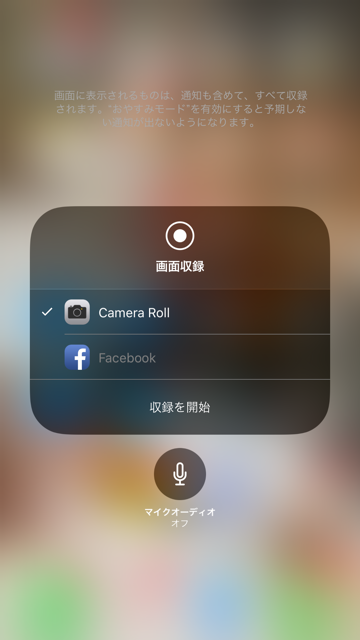
If you also want to record your own voice, use 3D Touch on the "Screen Recording" icon in Control Center (press a little firmly).
Then you can tap the microphone button to toggle whether audio from the mic is recorded.
That's it!! Those were some surprisingly little-known handy iPhone features (^^♪


