









Design is a single word, but the world is full of all kinds of design. It is no exaggeration to say that almost everything we see and use every day has been designed. Today, out of all those countless kinds of design, I would like to talk about [fonts].
This is my first time writing a blog post for Merci. My name is Ochiai, and I work on design here. I look forward to working with you!
OpenType and TrueType
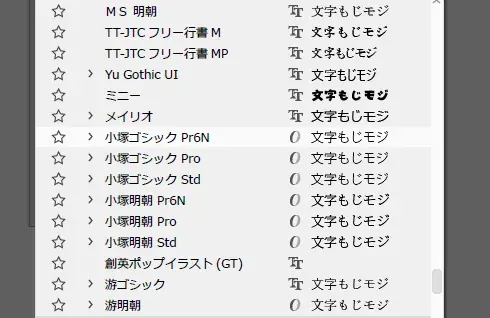
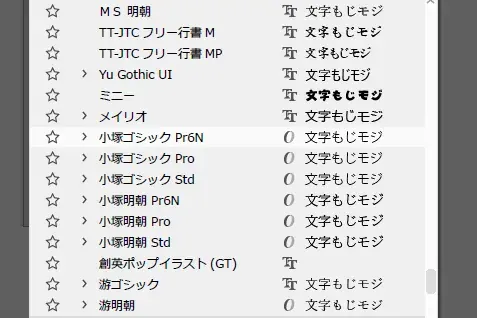
When you select a font in Illustrator, Photoshop or any other software that uses text, you have probably noticed an “O” or a “T” displayed next to the font name.
Back when I knew nothing about design, I chose fonts without knowing what it meant, but it indicates the type of digital font.
- “O” stands for OpenType
- “T” stands for TrueType
So what exactly is the difference?
TrueType fonts use a long-established format developed jointly by Apple and Microsoft. OpenType, developed by Adobe and Microsoft, largely makes up for its weaknesses.
Let me explain the differences simply!
[TrueType]
- A wide variety of typefaces
- Supported in many environments
- Many free fonts available
- No limit on resolution
- Can be installed on both Mac and Windows, with compatibility between them
[OpenType]
- A wide variety of typefaces
- Supported in many environments
- A large character set
- Many free fonts available
- Drawn with the same cubic Bézier curves as Illustrator, so there is no limit on resolution
- Font compatibility between Mac and Windows
- Flexible letter spacing (kerning)
Laying out their features side by side like this shows that each has its own strengths and weaknesses.
So which font should you actually use?
Is the OS on the computer you use Windows or Mac? OpenType is high-performance, and today it can be used as standard on both Windows and Mac. There are also many free OpenType fonts. TrueType is an excellent font format as well, with plenty of free fonts available, and unless you are working in DTP, printing, publishing or similar fields, I think using TrueType fonts is the better choice. They are also compatible between Windows and Mac.
On a Mac, OS X and later support OpenType, so you can use it without any problems.
In the design industry, on the other hand, OpenType fonts are used most of the time. This is because some special characters cannot be rendered in TrueType. OpenType allows flexible letter spacing, so it is highly valued in DTP work where beauty and readability matter. You will often hear that TrueType cannot be used in DTP because many printing companies do not own the fonts, but if you use software such as Illustrator that can convert fonts to outlines, you can use fonts even if the printing company does not have them.
There are also advantages to using OpenType when you want to use OpenType-compatible software on both Windows and Mac, when you need a wide variety of characters, or when you want to use special characters.
Each format has its pros and cons, so why not choose the fonts you buy or download to suit your working environment and your purpose?
And that is Ochiai's memorable first blog post! Why start out with a story about fonts, you ask? Well, fonts were actually what gave me the hardest time when I was studying design |д゚) Among the countless typefaces out there, the ones widely used in the industry really are beautiful. At first I could not even quite grasp what made them “beautiful.” I hope to keep writing on this blog about the things I am studying, such as graphic design, illustration and photography. (Whether it turns out to be useful is another matter!) I would be delighted if it sparks even a little interest and you give it a read!